Continuous person-centred documentation
Daily Diary
Document daily observations with templates, lockdown rules, AI assistance, draft auto-save and a full revision history per supported person.
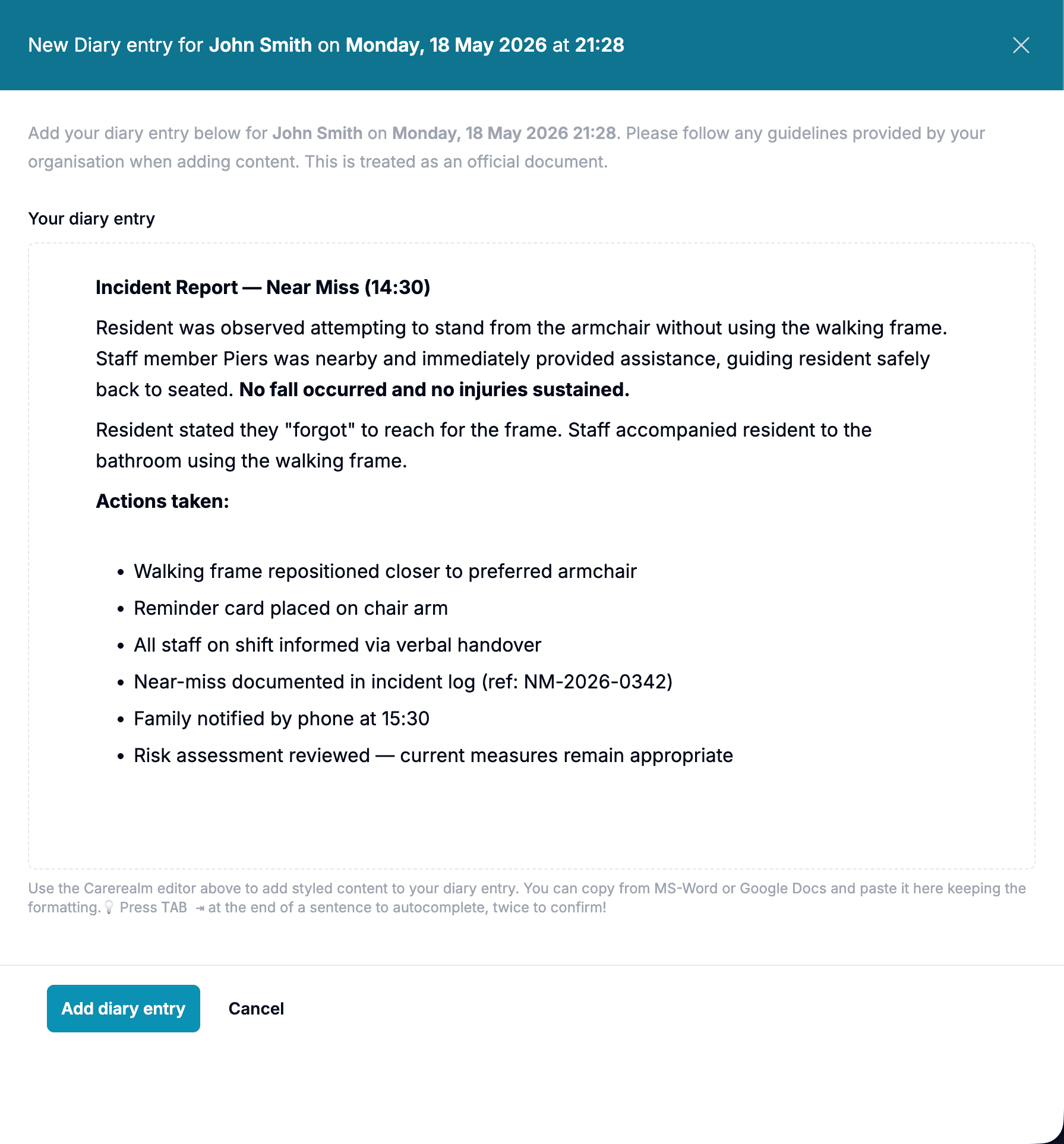
Write it however the moment needs
One editor, every kind of record
The diary isn't a single-line text box. It's a full block editor. Drop in formatted prose, an inline image of a meal or an injury, a checklist for a routine, a table of measurements, an interactive body map for a fall or a skin concern, a quote, a code-block of an exact medication string, all in the same entry, all on the same timeline.
Hit / anywhere in the editor and pick what to insert next. The format follows the record, not the other way around. Staff capture what actually happened in the shape it actually happened.
- Rich text + headings.
- Bold, italic, underline, highlight, sub/superscript, font sizes, headings, links and inline emoji. Multi-column layouts when you need them.
- Photos and figures.
- Drop or paste images directly into an entry. Add captions, wrap text around them, or float them as standalone evidence.
- Tables.
- Build proper tables inline (observations, intake/output, vital signs) with merged cells and resizable columns.
- Body maps.
- Click on an anatomical figure to mark a wound, bruise, mole or area of concern. Each mark carries a note and timestamps automatically.
- Checklists and task lists.
- Tick-box lists for routines, handovers and care-plan steps. Tick state is part of the entry's revision history.
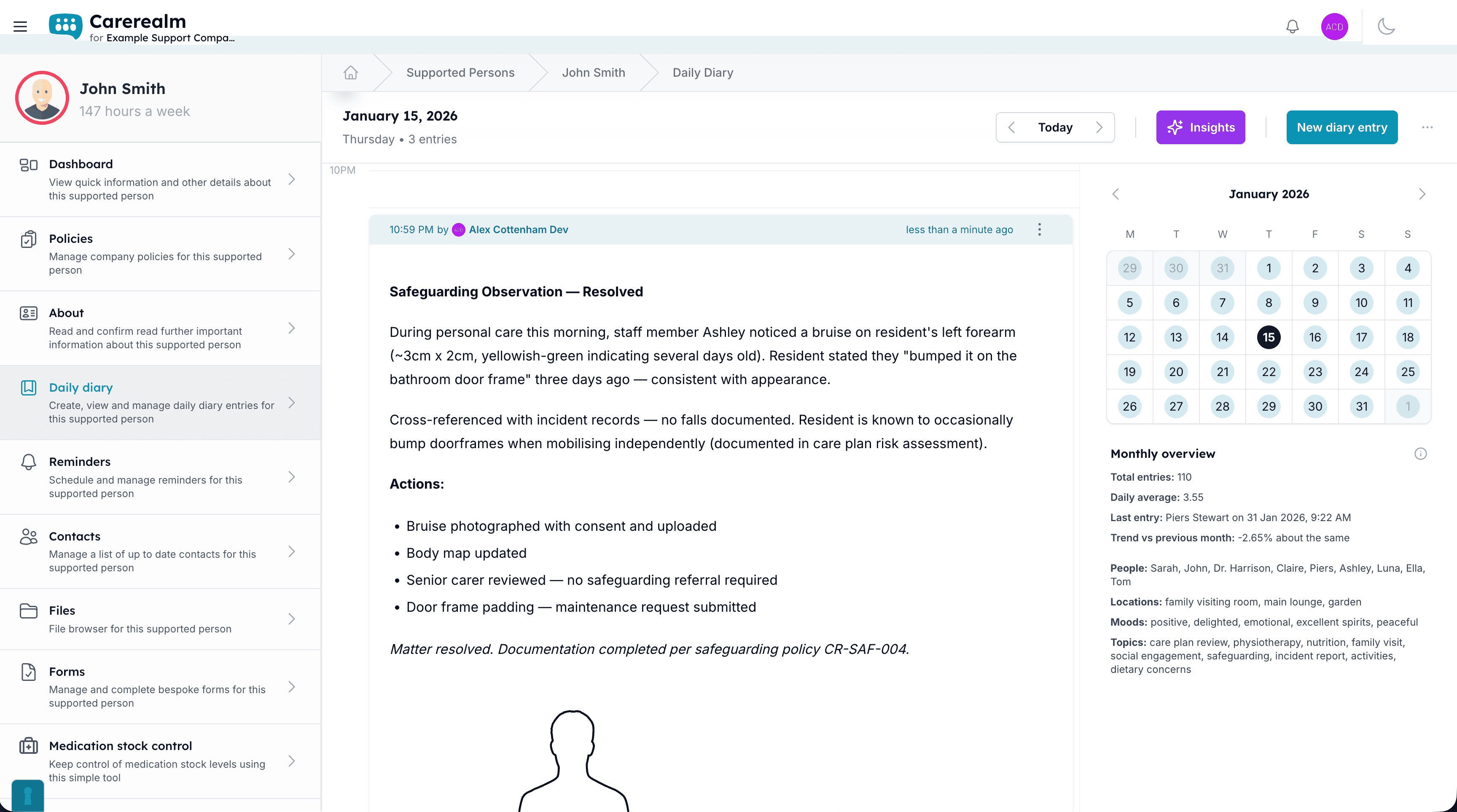
Evaluate continually
One diary per person, designed for continuous documentation
Carerealm's daily diary is the platform's most-used feature. Each supported person gets their own diary; staff add entries as the day happens, with templates to make sure the right information is captured every time. Lockdown rules (backwards / forwards / same-day) keep records honest, and every entry has a revision history with who edited what.
- Diary templates.
- Set a per-area template so every entry captures the same fields. Different areas can use different templates.
- Lockdown rules.
- Configure whether back-dated, future or same-day entries are allowed, set per realm or per area.
- Continuous entry mode.
- Keep the diary open across a whole day so each entry adds to the next, rather than overwriting.
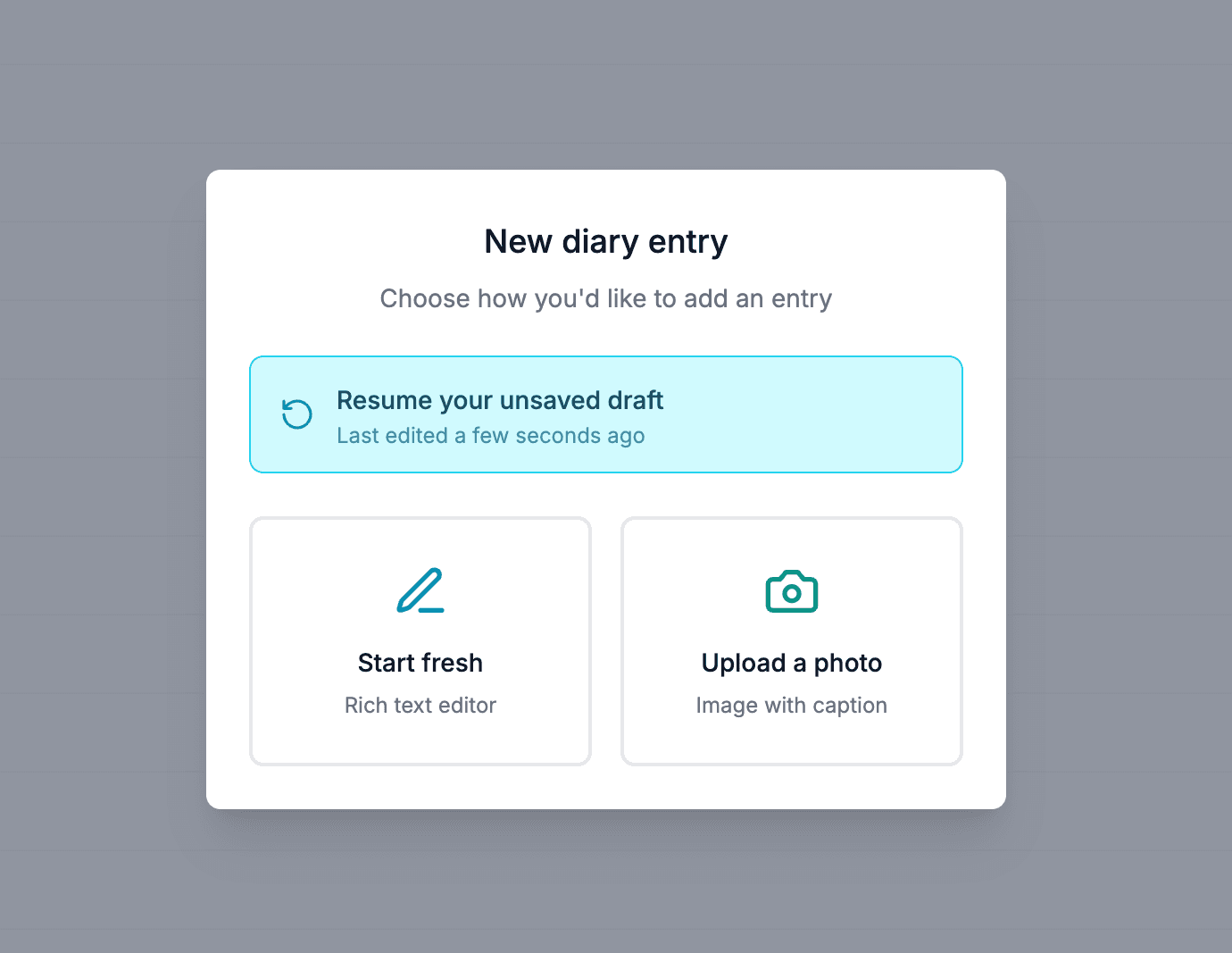
Never lose work
Drafts that won't let you lose your work
Carerealm saves whatever you're writing as you go. Close your laptop mid-sentence, refresh the page by accident, swap from a tablet to a phone. Your draft stays exactly where you left it.
The next time you (or a colleague) open the same entry, Carerealm offers to pick the draft up, with a clear note of when it was last edited. One tap to keep going, or start fresh if the draft is no longer relevant.
- Saves as you write.
- No save button required. Carerealm holds onto whatever you've typed so a refresh, a lost connection or a flat battery doesn't cost you the entry.
- Pick up on any device.
- A draft you started on a laptop is ready to finish on your phone. One draft per person per day, so it's always obvious which one to come back to.
Photos welcome
Image entries alongside text
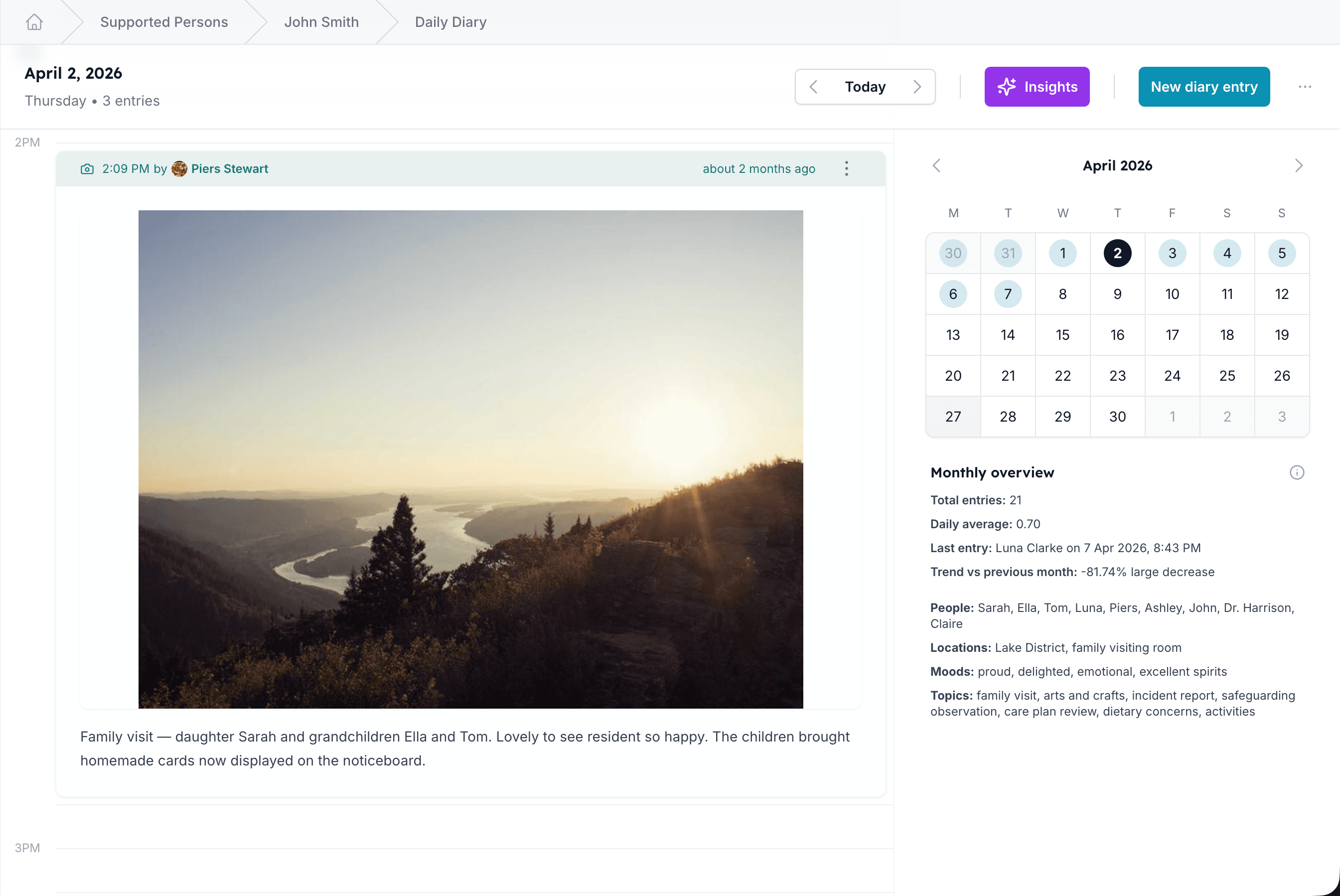
Sometimes a photo says more than a paragraph: a meal, a walk, an injury, a piece of artwork. Image entries sit alongside text entries on the diary timeline, with their own captions, edit history and audit trail. Tap the camera in the entry-type chooser to add a photo straight from your phone.
- Photos with context.
- Add a caption per photo. Captions can be edited (with full revision history); photos themselves are immutable.
Ask, don't scroll
AI diary chat (opt-in)
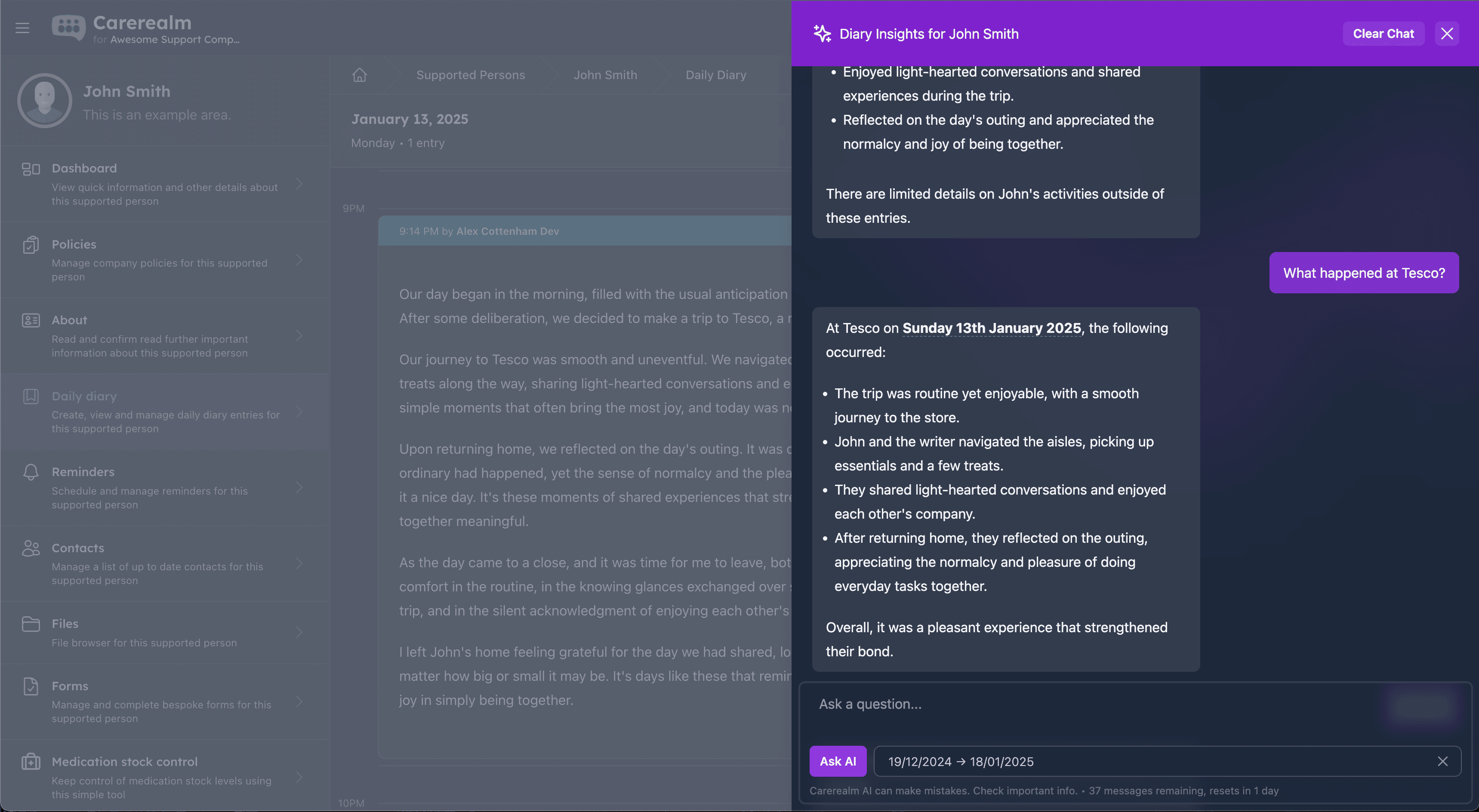
When AI is enabled for your realm, you can ask questions of the diary in natural language ("what was Sam's sleep like last week?", "when did Mary last see the GP?") and get a summary drawn from the actual entries. Useful before handover, before a review meeting, or when an inspector asks for context.
AI is off by default per realm. Once enabled, individual users can still opt out. Data stays within your realm. The AI only sees entries for areas the asking user has access to.
- Per-realm opt-in.
- Admin decides whether AI is available at all. Off by default; turn on from realm settings.
Tuned per individual
Personal configuration for each diary
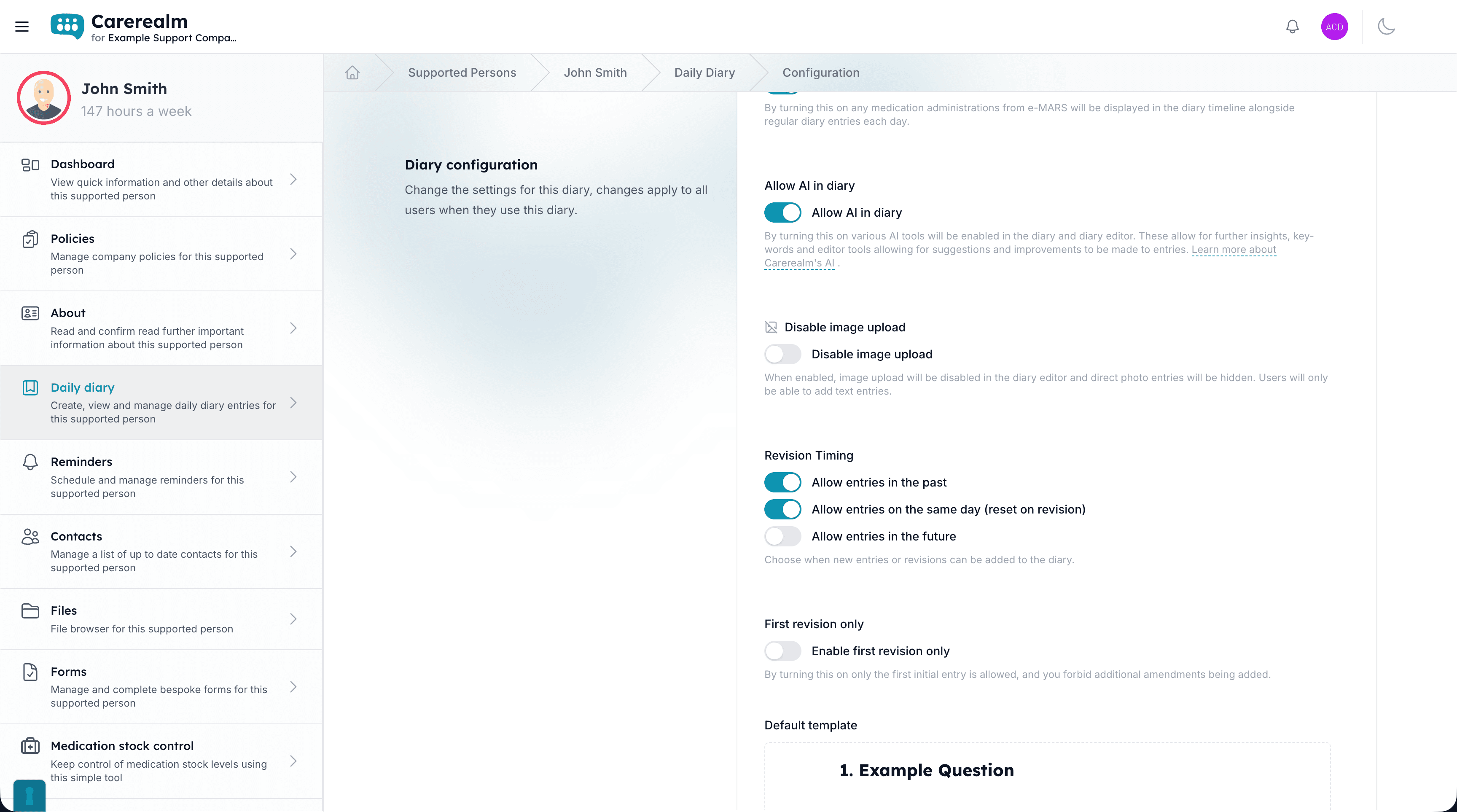
Every area has its own diary configuration screen, so the diary for one supported person can look completely different to the diary for another. Pick the template fields, the lockdown rules, which extras appear inline (alerts, forms, reminders) and whether each individual gets their own thread or the area writes a shared record.
Configuration changes apply going forward. Historical entries keep their original structure so the audit trail stays consistent. Admins can update settings any time without rebuilding past entries.
- Pick the template.
- Choose the fields and order each diary captures. Different individuals can use entirely different templates.
- Individual or shared mode.
- Switch between one diary per supported person and a single area-wide diary, depending on how the service runs.
- Show or hide extras.
- Toggle in-diary alerts, completed forms and reminder context per area so each diary stays uncluttered.
Take it with you
Quick exports for inspections, handovers and reviews
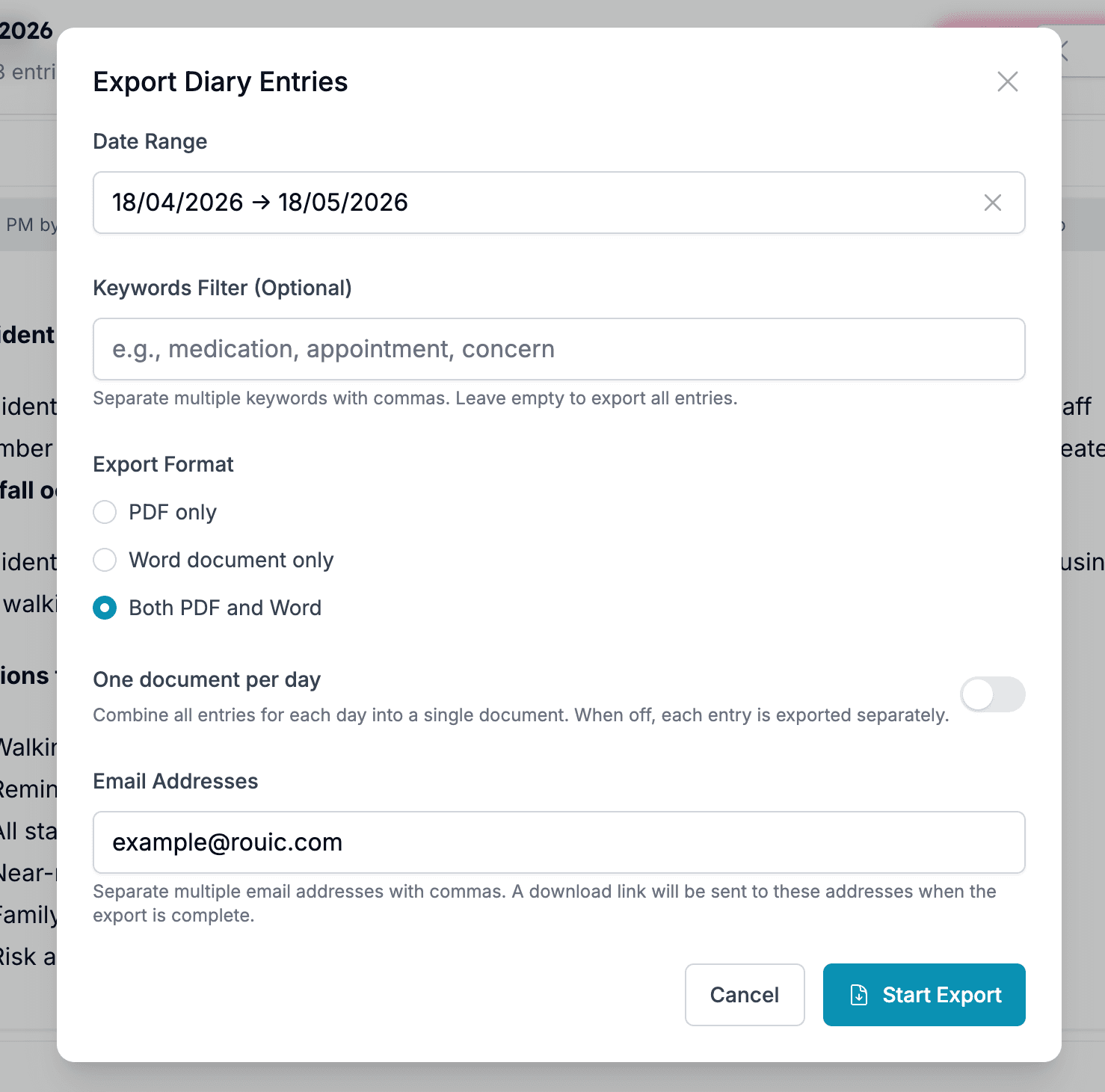
Need a printable record for a CQC visit, a family review meeting or a transfer to another service? Pick a date range and the system queues a PDF export of every entry in that window: text, photos, captions and revision notes included. You carry on working while it builds.
When the export is ready, the notification appears in the bell at the top of every screen and you get an email with a secure download link valid for 24 hours.
- Pick the window.
- Date range, single individual or whole area, with optional keyword filter to narrow what's included.
- Built in the background.
- The export builds on our side. Close the tab, come back later. The bell pings when it's done.
Show your working
Full audit history on every entry
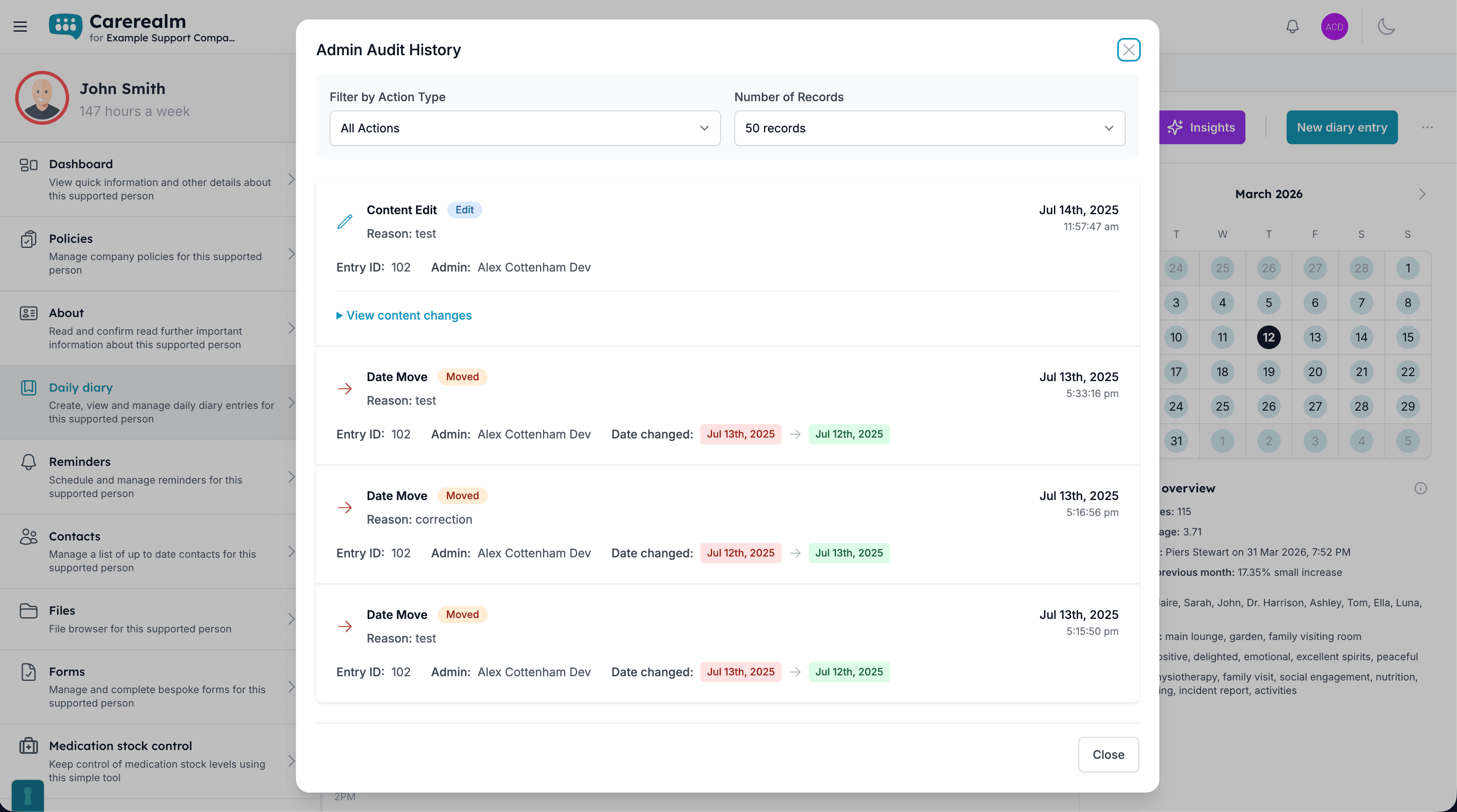
Every diary entry keeps a complete edit history: original text, what changed, who changed it, when, and an optional reason for the change. The system never silently overwrites. Inspectors can see exactly how the record evolved, and your team can see exactly who recorded what.
Day-changes (moving an entry from one day to another) and content-changes both get their own audit rows, so you can tell the two apart at a glance.
- Every revision saved.
- Original and edited content side by side, with timestamp and editor identity on each revision.
- Edit reasons captured.
- Prompt staff for a reason when changing a past entry, to keep the audit trail honest under scrutiny.
On mobile
Record care at the point of delivery
Write diary entries (text or photos) the moment care happens, even with no signal. Everything syncs automatically when you reconnect.
- Rich text and photo entries.
- Capture a quick note or a photo straight from your phone, on the same timeline as everyone else's records.
- Works fully offline.
- Keep recording in a basement, a rural home or a dead spot. Changes queue locally and sync the moment you're back online.
- The whole day in your pocket.
- Scroll the full day's timeline at the point of care, so handovers and context are always to hand.
Keep exploring the platform
See every featureForms
Bespoke forms for assessments and care plans
Build the forms your service actually uses (assessments, incident reports, care plans) with response tracking, public form links, exports and notifications.
Staff Rota
Person-centred rostering, time & attendance and payroll
Build staff rotas around the people you support: scheduling, open shifts, leave, location-stamped clock-in, timesheets and payroll-ready exports, all tied to each person's care record. An optional bolt-on.
eMAR
Electronic medication, aligned to NICE QS85
Electronic medication administration with witness sign-off, PRN, controlled-drug register, homely remedies, MCA documentation, covert pathways and missed-dose alerts.
Try it on a 14-day free trial
From £4 + VAT per user per month. No card, no sales call, cancel any time.