Workflows, roles, audit, SSO and billing
Admin and automations
A visual drag-and-drop workflow builder that wires Carerealm to itself, plus fine-grained role permissions, a complete audit log, session management, SSO via Google / Microsoft / Apple, self-serve SAML, MFA and self-service billing.
Carerealm, wired to itself.
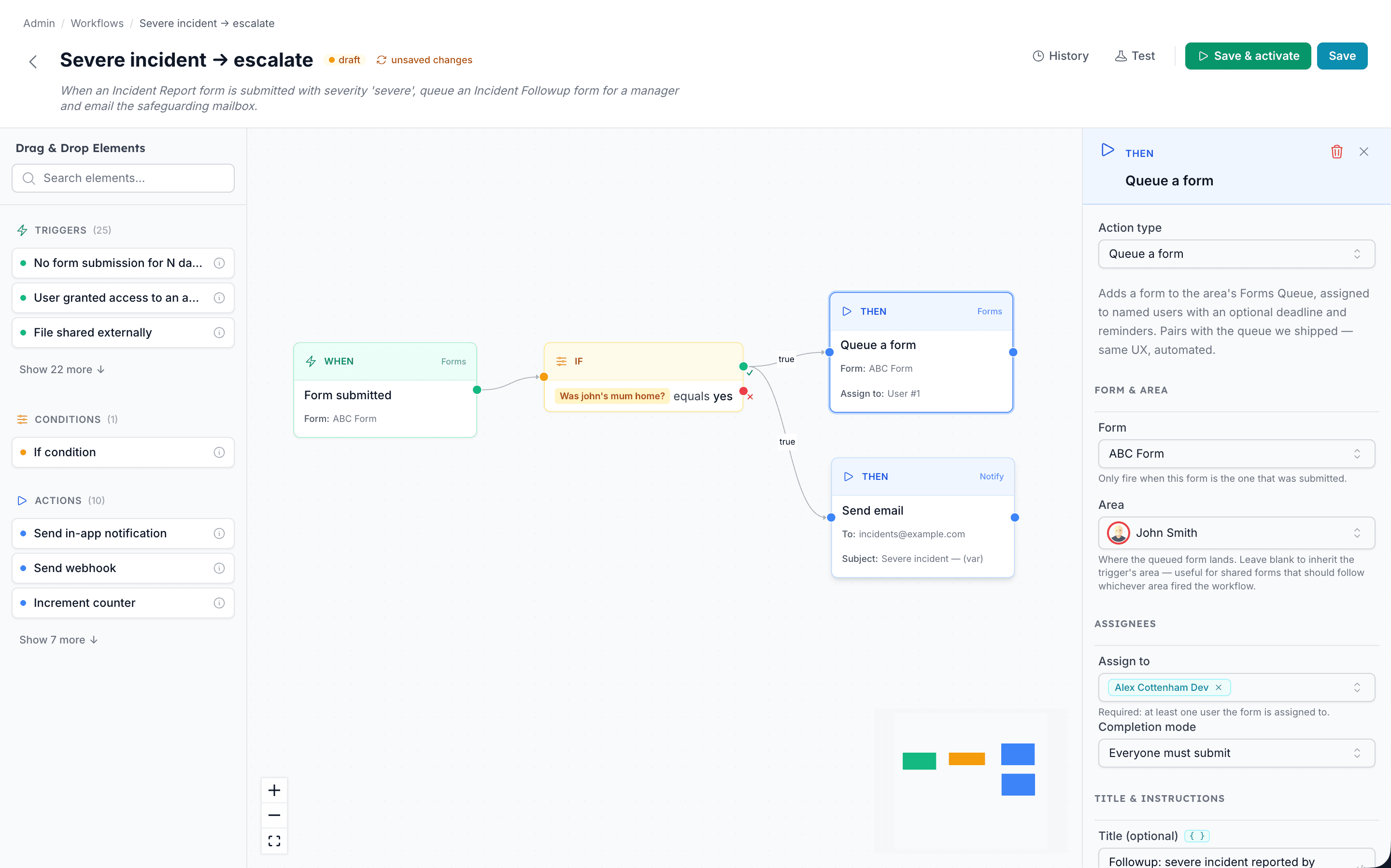
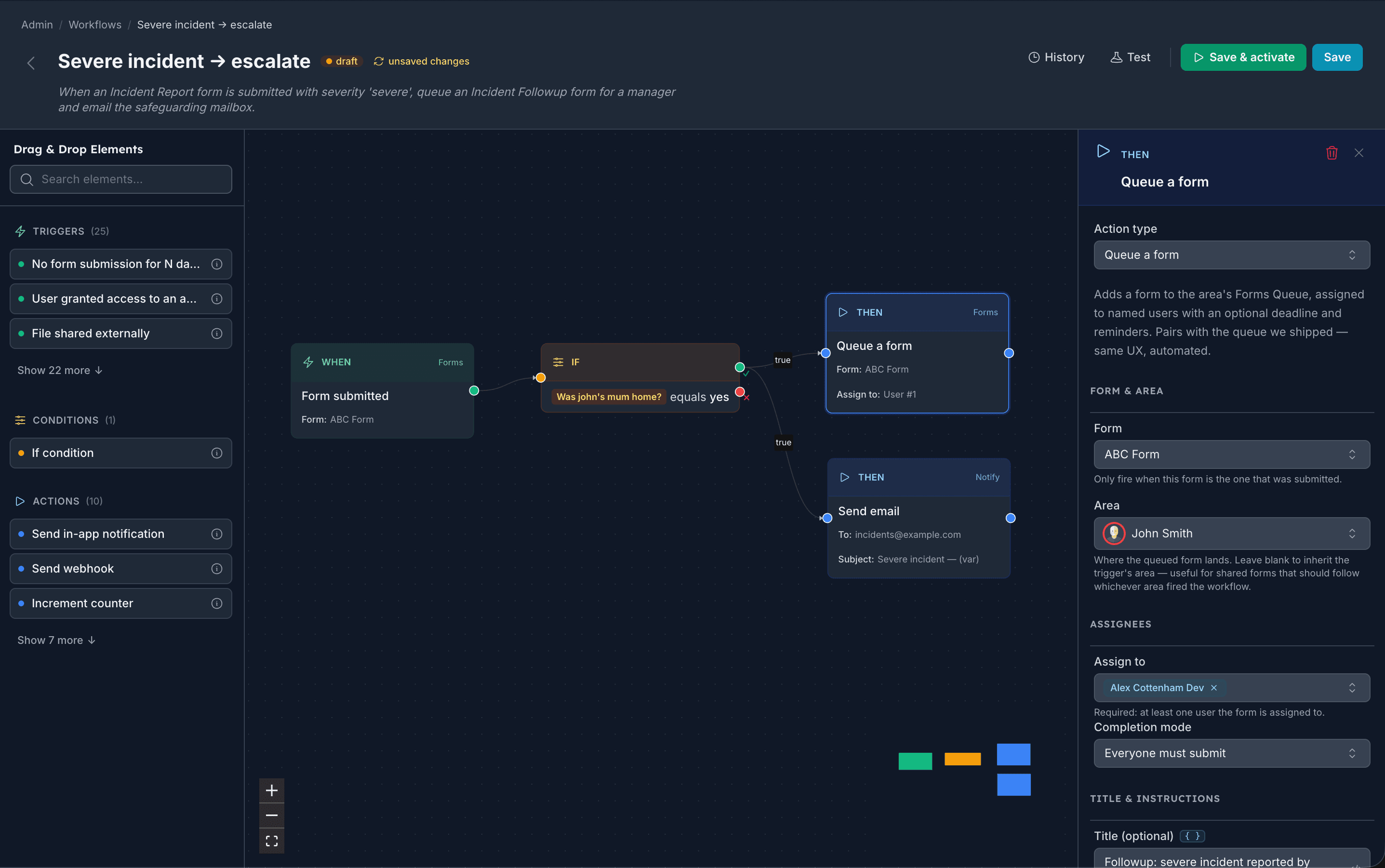
The whole platform reacts to itself. A medication dose missed, a diary that's gone quiet, a form submitted with a worrying answer: every meaningful event can trigger an automation. No integration platform, no engineer, no scripts. A visual canvas, drag-and-drop, and you're done.
Form submitted
Form: Incident report
Severity contains severe
Queue a form
Form: Incident follow-up
Send email
Swipe sideways to see the full canvas →
14 triggers
Diary edits, eMAR dose outcomes, form submissions, file uploads, sign-in events, area access changes, absence after a set number of days, inbound notifications from other systems: every meaningful platform event.
Type-aware IF
Pick a form question and the condition adapts: yes/no toggle, multi-choice dropdown, numeric range, body-map has-value. No code or template syntax, ever.
14 actions
Send an email, push an in-app notification, post an inbox message, queue a form with deadline + reminders, create a diary entry, notify another system, wait, branch, set variables.
Test & replay
Try any flow against an example trigger before going live. Every real run shows up in the per-flow history with the values that were used.
Templates
Land running
- 13 pre-built workflows for the common cases
- One click clones into your realm
- Auto-fills your email, picks an example form
- Smart-fills area / user picker chips on apply
Safety rails
Won't fire on day one
- Activation buffer, so no immediate fires for dormant areas
- Recent-baseline window for absence triggers
- Test mode shows exactly which actions would fire
- Every run logged + auto-disabled on repeated failures
Per-realm wording
Speaks your language
- Calls your residents what you call them
- Per-realm wording flows through every label
- Friendly question names, not raw field paths
- Insert-variable popovers, no {{token}} syntax
Right access, right person
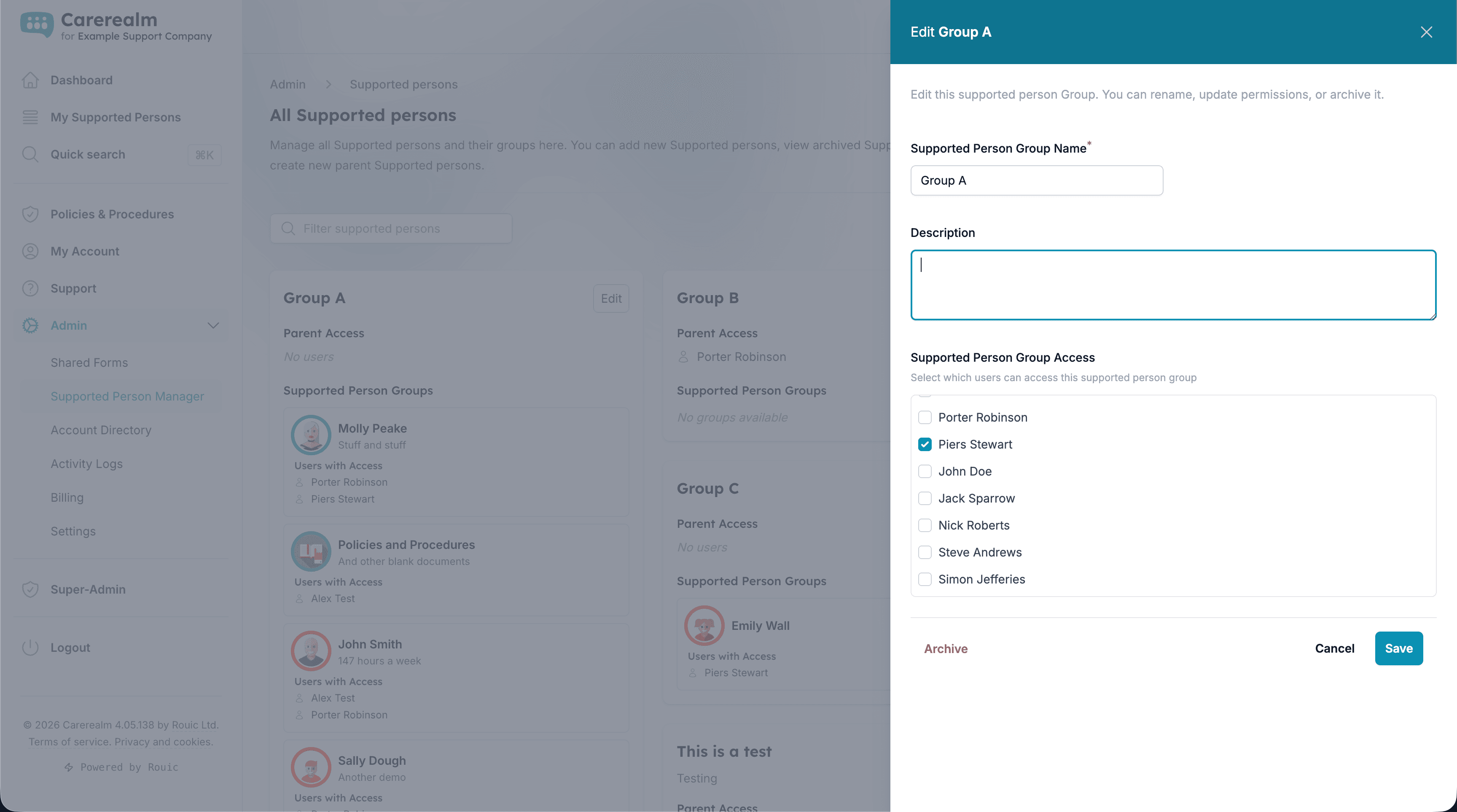
Fine-grained role permissions, per area
Carerealm treats each supported person's area as its own permission boundary. Staff get access only to the areas they work in. Within an area, you assign read / contribute / moderate roles, so the agency carer who supports Sam on weekends sees Sam's diary, but not anyone else's. Realm admins see everything; super-admins (Carerealm support) never see customer data unless you explicitly grant access.
- Area-level access.
- Assign per-area access. Bulk-assign across multiple areas for staff covering a whole house.
- Roles within an area.
- Read-only, contributor, moderator. Override per feature (eMAR, forms, files) where the default isn't right.
Tamper-evident audit trail
Every action, attributed and timestamped
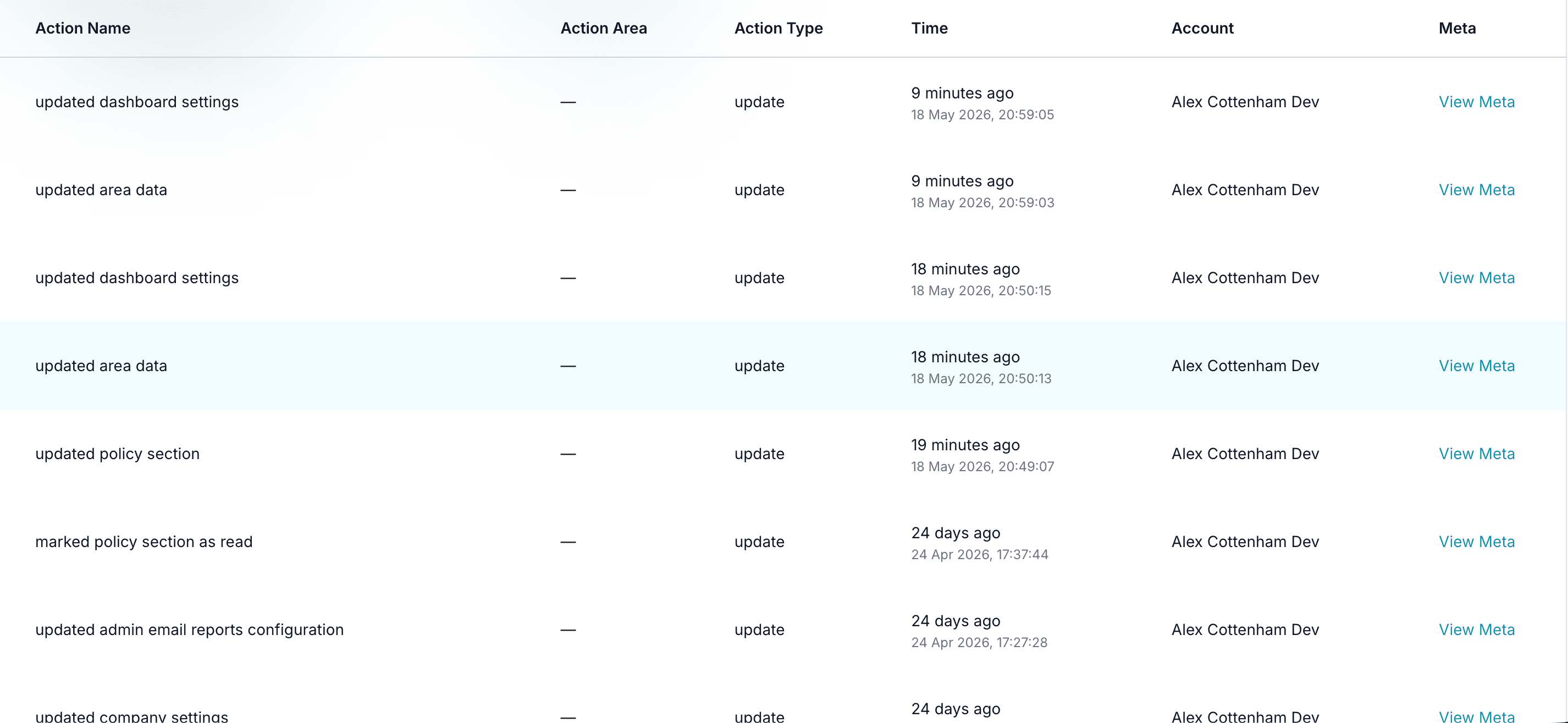
Carerealm captures every action that touches data (diary entries, medication administrations, form submissions, file uploads, permission changes, policy reads) into a single audit log. Each row records the user, the area, the action, a structured description, and a timestamp. The log is read-only by design: admins can view and filter, but nobody can edit or delete entries.
For CQC inspections and serious-incident reviews, the audit trail is the answer to "who did what and when" without rebuilding a timeline from chat threads and email.
- Complete coverage.
- Anything that creates, updates or removes data writes a trace row. No silent changes.
- Filter and export.
- Filter by user, area, date range, action type. Export to CSV for inclusion in audit reports.
Sign-in your way
SSO via Google, Microsoft and Apple, plus self-serve SAML
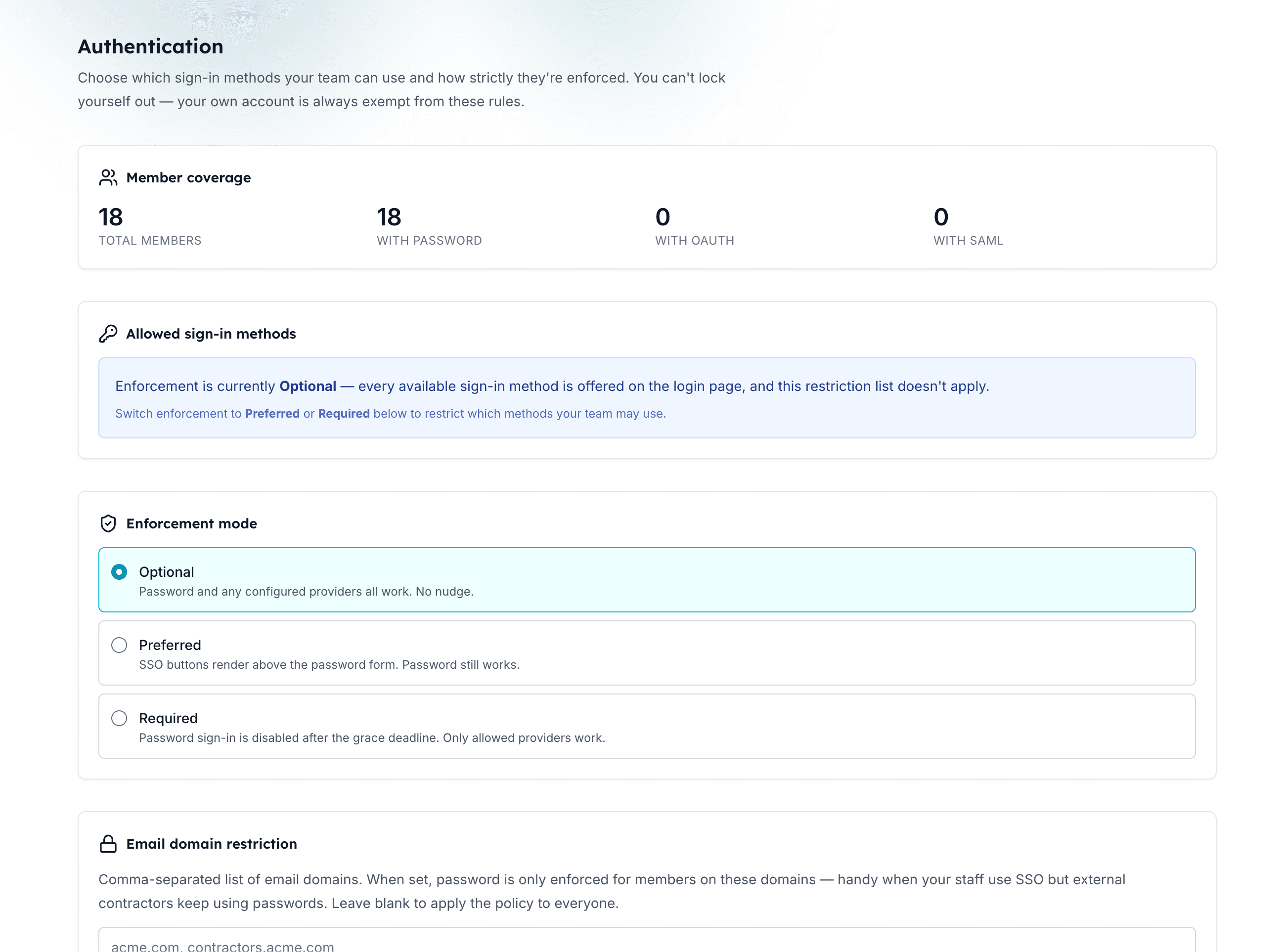
Carerealm supports single sign-on out of the box: staff can sign in with their existing Google, Microsoft 365 or Apple account. No more password-reset emails, no shared accounts, and any IdP-side controls (MFA enforcement, location restrictions, account disable) apply automatically.
For organisations with their own identity provider, our self-serve SAML SSO lets a realm admin connect Okta, Entra ID, Google Workspace SAML, or any SAML 2.0 IdP via metadata XML. Domain verification via DNS TXT ensures only your organisation's emails can be signed in by your IdP.
- OAuth providers.
- Google, Microsoft 365 (Entra ID), Apple. One-click sign-up; existing accounts auto-link by verified email.
- Self-serve SAML.
- Connect your own IdP from the admin UI. Test mode before going live, with auto-revert if a misconfiguration locks members out.
- Multi-factor authentication.
- TOTP-based MFA for any account on the platform. Realm-wide enforcement available.
Billing without the back-and-forth
Self-service Stripe billing
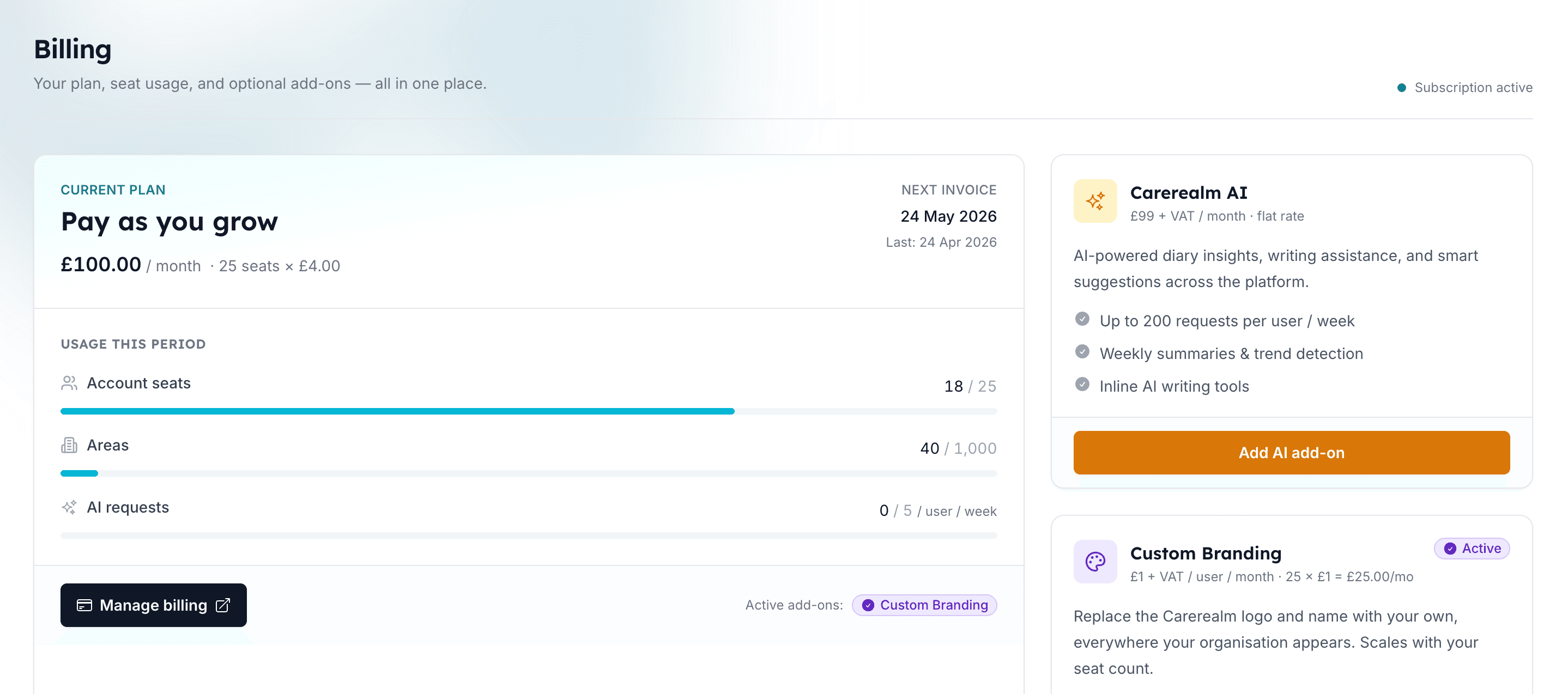
Pricing is in the open: £4 per user per month, every feature included. The billing portal lets a realm admin add or remove seats, update card details, download invoices, and cancel without contacting us. Optional add-ons, such as Staff Rota, AI and custom branding, can be enabled from the same screen.
- Transparent seats.
- Pay only for active users. Add and remove seats from the portal, pro-rated automatically.
- Invoices on demand.
- Download VAT-compliant invoices from the portal for your accounting system.
What our admin and automations aren't
Workflows wire Carerealm to itself. They aren't a generic if-this-then-that hub for every other tool you might use. There are outbound and inbound hooks you can use to push to or trigger from another system if you have a developer to wire it up, but we deliberately don't ship a marketplace of pre-built integrations.
And if you need full staff rostering, time & attendance and payroll-ready timesheets, that's our optional Staff Rota bolt-on, built into the same platform rather than a separate tool to wire up.
Keep exploring the platform
See every featureDaily Diary
Continuous person-centred documentation
Document daily observations with templates, lockdown rules, AI assistance, draft auto-save and a full revision history per supported person.
Forms
Bespoke forms for assessments and care plans
Build the forms your service actually uses (assessments, incident reports, care plans) with response tracking, public form links, exports and notifications.
Staff Rota
Person-centred rostering, time & attendance and payroll
Build staff rotas around the people you support: scheduling, open shifts, leave, location-stamped clock-in, timesheets and payroll-ready exports, all tied to each person's care record. An optional bolt-on.
Try it on a 14-day free trial
From £4 + VAT per user per month. No card, no sales call, cancel any time.