Money tin, contacts, reminders and the rest
Everything else
The smaller surfaces that round out the platform: petty-cash tracking, area dashboard, contacts, reminders, dark mode and document conversion everywhere.
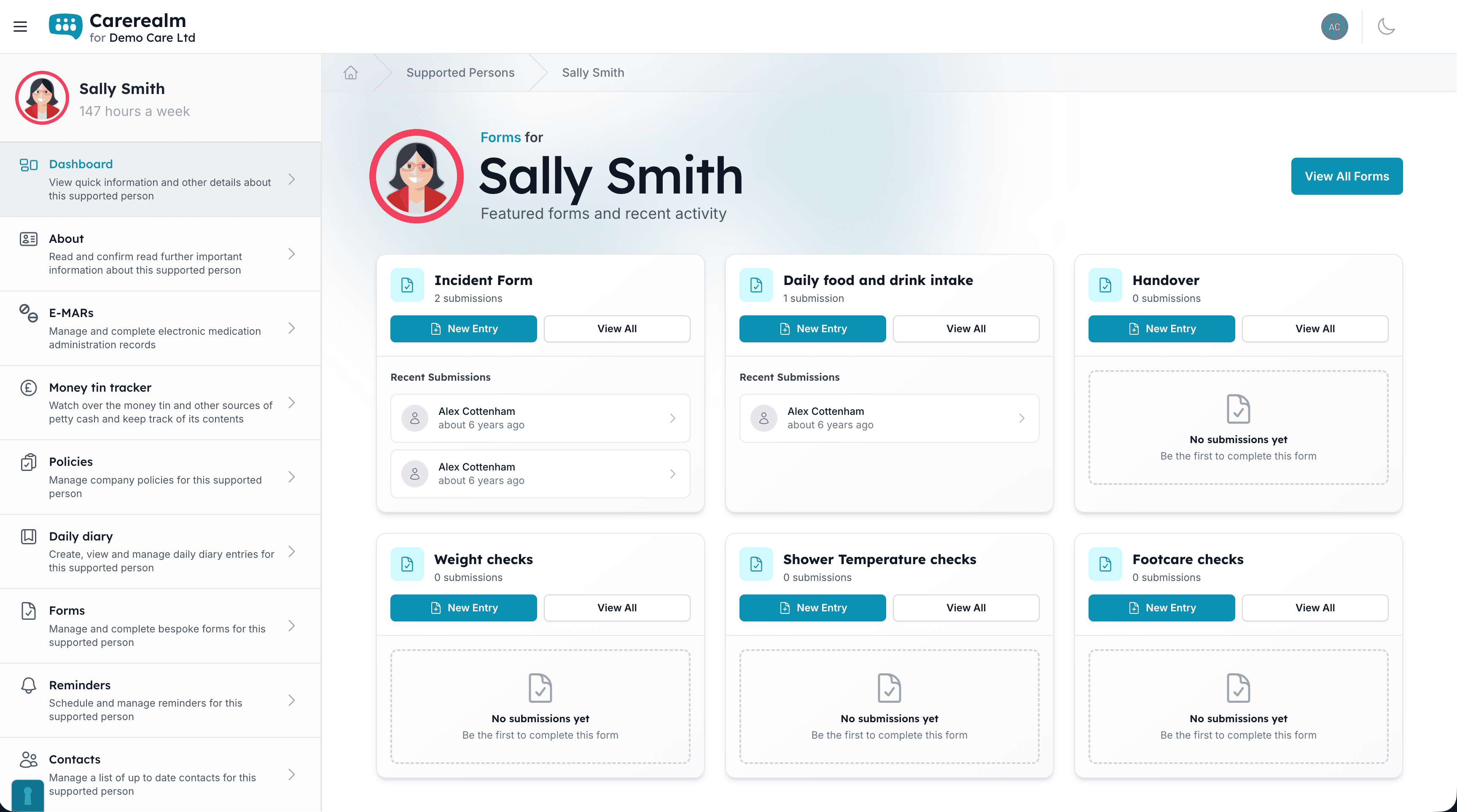
The small things, all included
Eight more surfaces that come with every account
Big features get their own pages. Everything else lives here. These are the smaller surfaces that don't need a 1,000-word explainer but collectively make up most of what your team actually touches in a typical week: petty cash, policies, contacts, reminders, dashboards, the lot.
Every one of these comes with every Carerealm account. No tier upgrades, no per-feature fees, just £4 + VAT per user per month. Optional power-ups like Staff Rota are the only paid extras, and entirely up to you.
- Designed to feel cohesive.
- Each of these uses the same navigation, audit log, dark mode and permission model as the headline features, so your team only learns the platform once.
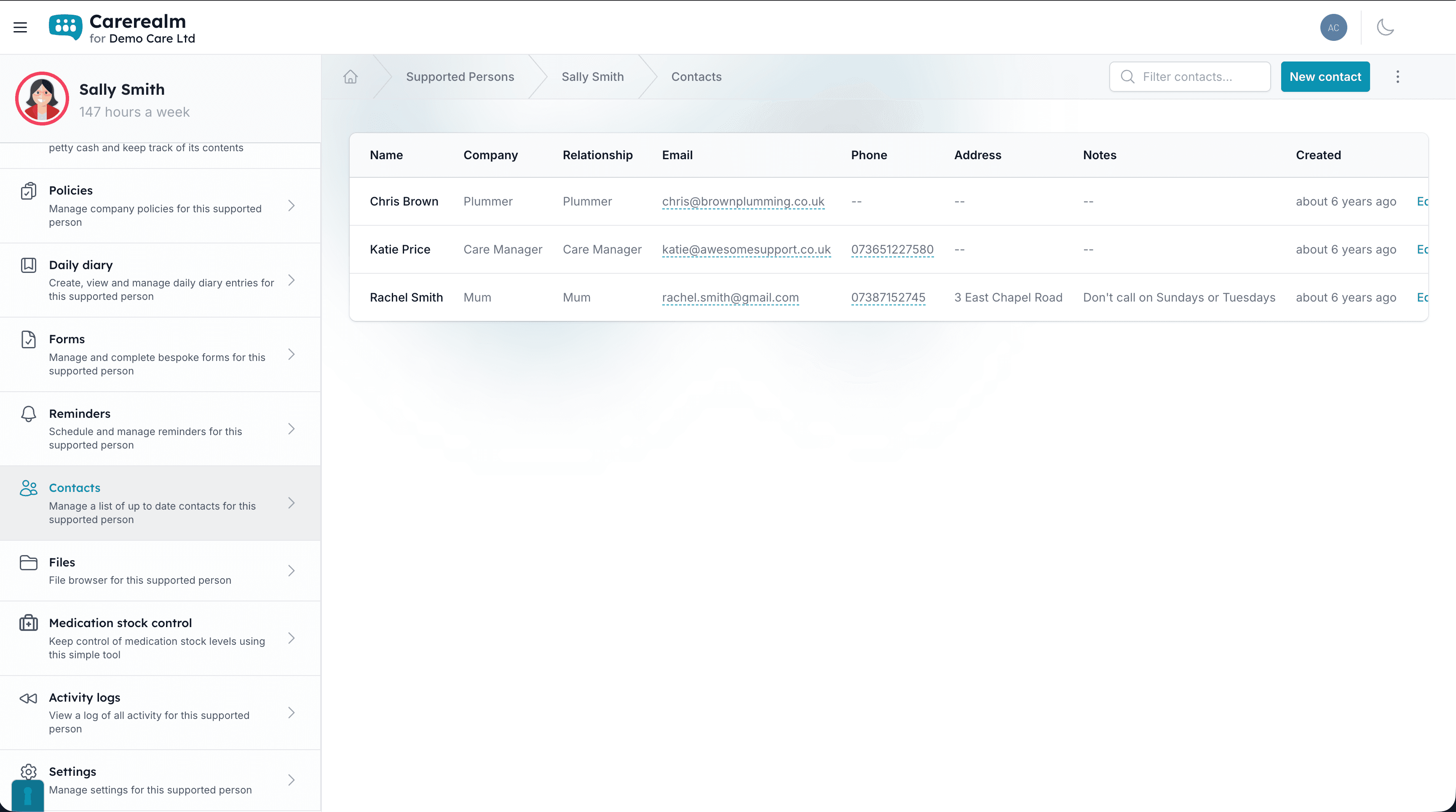
The everything-else grid
Each one short, each one in every account
Click any of the headline features in the nav for a full walkthrough. These eight don't need that level of detail. Here's the one-paragraph version of each.
Money tin tracking
Petty-cash ledger per supported person. Log money in and out, attach a receipt photo, see the running balance update live. Any staff member can verify or dispute an entry, which is useful when more than one person handles the cash.
Area dashboard
The landing page each supported person gets when you open their area. Draggable blocks for welcome banner, noticeboard, recent activity, reminders and team. Toggle them on or off so each area shows exactly what matters.
Area settings
Per-area control panel: name, avatar, parent-area linking, which features are enabled (diary, eMAR, forms, files, money tin), which staff are members, and which are moderators. Archive without losing data.
Contacts directory
A maintained address book per supported person: GP, family, social worker, emergency services. Name, relationship, phone, email, with quick-search and inline edits. Soft-deleted contacts hide rather than disappear.
Reminders
Task list with due dates per area: appointments, reviews, refills, renewals. Pick who gets emailed when one's due, mark as complete, filter by status. Reminders flow into the new in-app bell as well as email.
Dark mode, everywhere
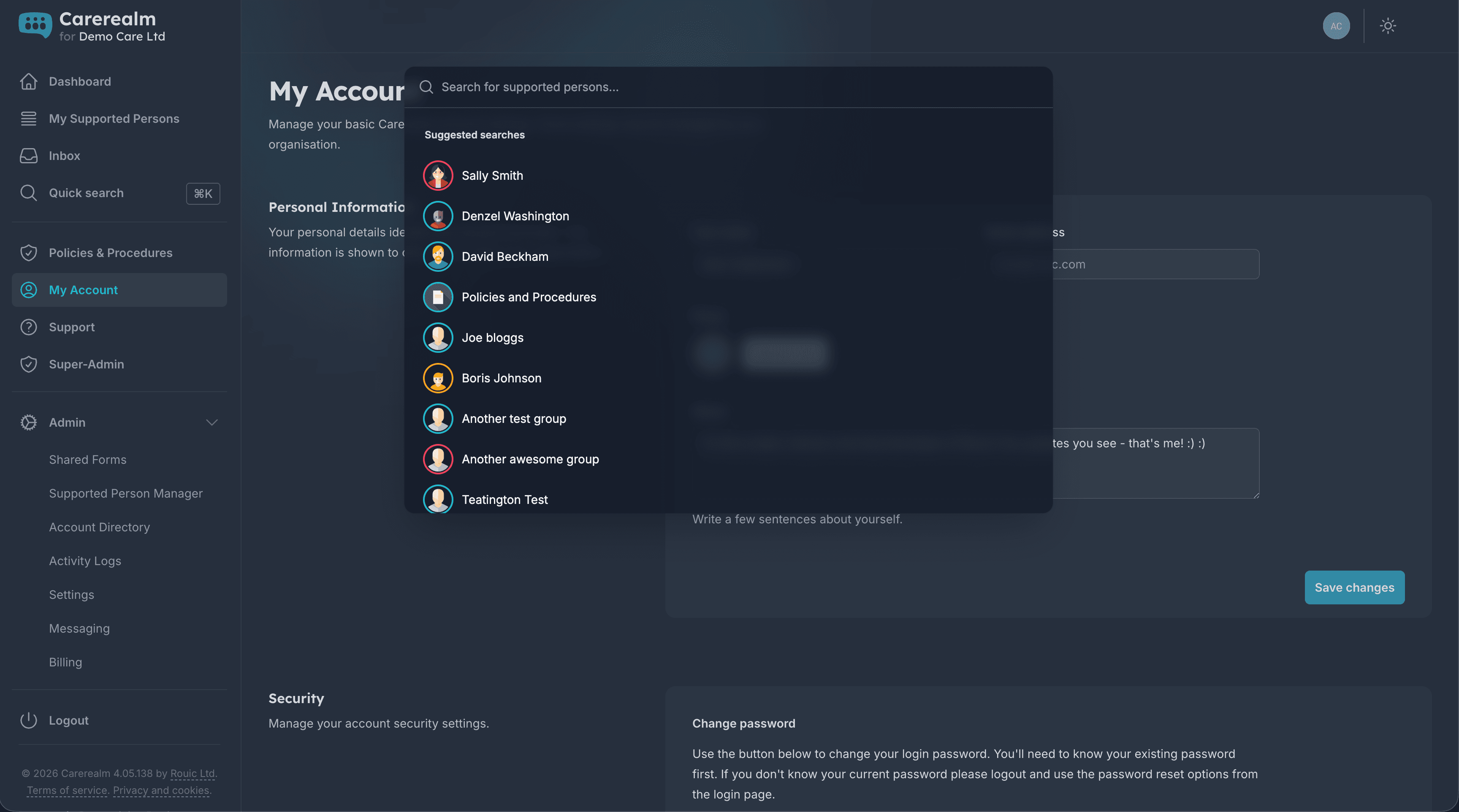
Every screen (admin, area, diary editor, file previews, mobile) has a dark theme. The platform follows your operating-system preference by default and lets each user override it manually.
Document conversion
Word, Excel, PowerPoint, RTF, OpenDocument and a few less-common formats convert to PDF automatically the first time someone previews them, anywhere a file appears in the platform, not just the Files page.
One audit log to rule them all
Every action, across every surface, recorded
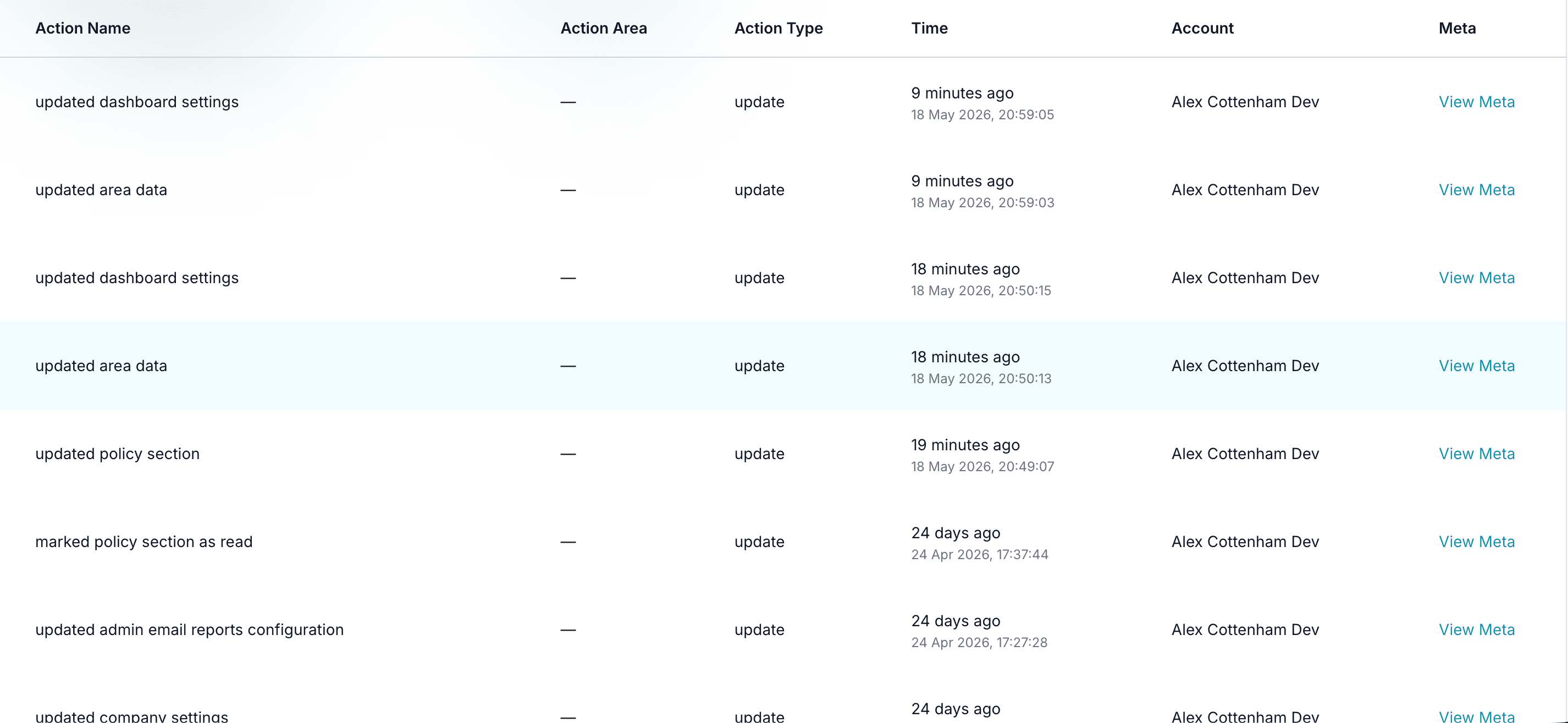
Whether someone moved a file, edited a policy, verified a money tin entry, completed a reminder or changed an area setting, the action lands in the same realm-wide audit log. One place to look when an inspector asks "who did what when".
The log is filterable by user, area, action type and date range, and exports to CSV for evidence packs.
- Single audit stream.
- Diary, eMAR, files, money, policies, contacts, reminders, settings, all in one log with consistent filters.
Easy on the eyes
Dark and light, follows your system
Every screen (staff dashboard, diary editor, file previews, mobile app) has a polished dark theme. Carerealm follows your operating-system setting by default and gives each user a manual toggle when they want to override it.
Contrast and font choices are tested against WCAG AA on both themes, so accessibility isn't a casualty of the redesign.
- OS-aware default.
- Dark or light follows your system on first visit; your manual choice is remembered after that.
- Same components, both themes.
- Dark mode isn't an afterthought. Every component is designed and tested in both palettes.
Keep exploring the platform
See every featureDaily Diary
Continuous person-centred documentation
Document daily observations with templates, lockdown rules, AI assistance, draft auto-save and a full revision history per supported person.
Forms
Bespoke forms for assessments and care plans
Build the forms your service actually uses (assessments, incident reports, care plans) with response tracking, public form links, exports and notifications.
Staff Rota
Person-centred rostering, time & attendance and payroll
Build staff rotas around the people you support: scheduling, open shifts, leave, location-stamped clock-in, timesheets and payroll-ready exports, all tied to each person's care record. An optional bolt-on.
Try it on a 14-day free trial
From £4 + VAT per user per month. No card, no sales call, cancel any time.